
error_9_manupulator_shaker_touch_2_en
Error 9 Manipulator Error (Touch 2)
Reasons for this error:
- Issues with the manipulator mechanics;
- External factors.
To reset the error, press CONTROLLER REBOOT. After the reboot, the manipulator will return to the position above the drain funnel (default position).
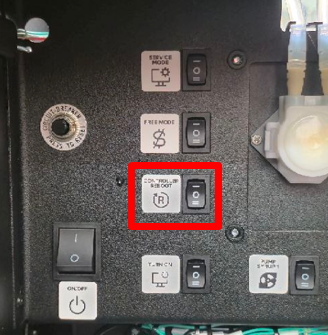
Error 9 may appear due to external factors - for example, obstacles interfering with movement inside the machine. If you store products, consumables, make sure they do not obstruct the manipulator's movement.
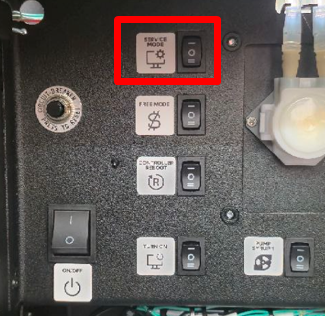
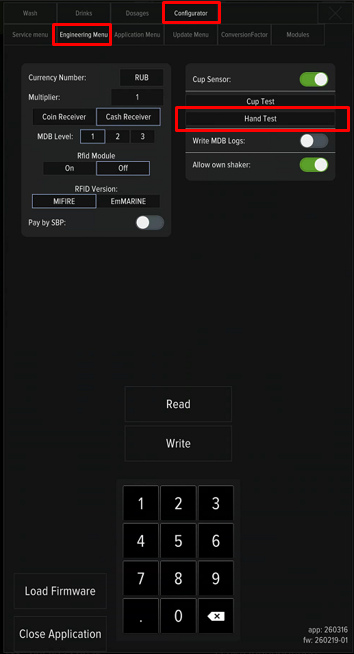
To check the mechanism's operation, press SERVICE MODE, press the «Developer Mode» button, and go to the «Configurator» tab - «Engineering Menu». Press the "Hand Test" button and, with the door open, check the free movement of the manipulator from the drain funnel to the dispensing position.
error_9_manupulator_shaker_touch_2_en.txt · Последнее изменение: 2026/03/18 14:15 — admin