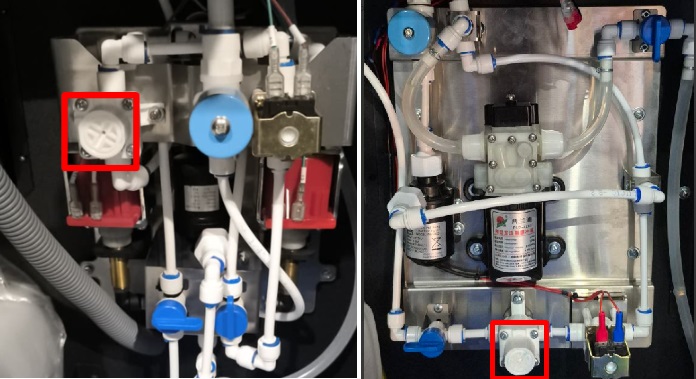
Error 1 No Water
Model Touch 2
Reasons for occurrence:
- No water;
- Air in the system;
- Incorrect water supply connection setup;
- Mechanical malfunction;
To reset the error, press the CONTROLLER REBOOT button. If the error does not reset, start the pumping water process in the service menu. When is complete, press the CONTROLLER REBOOT button.
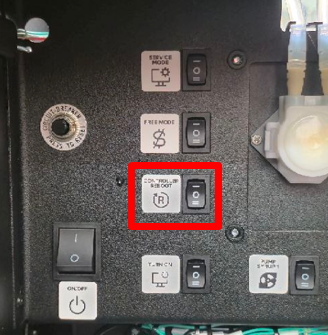
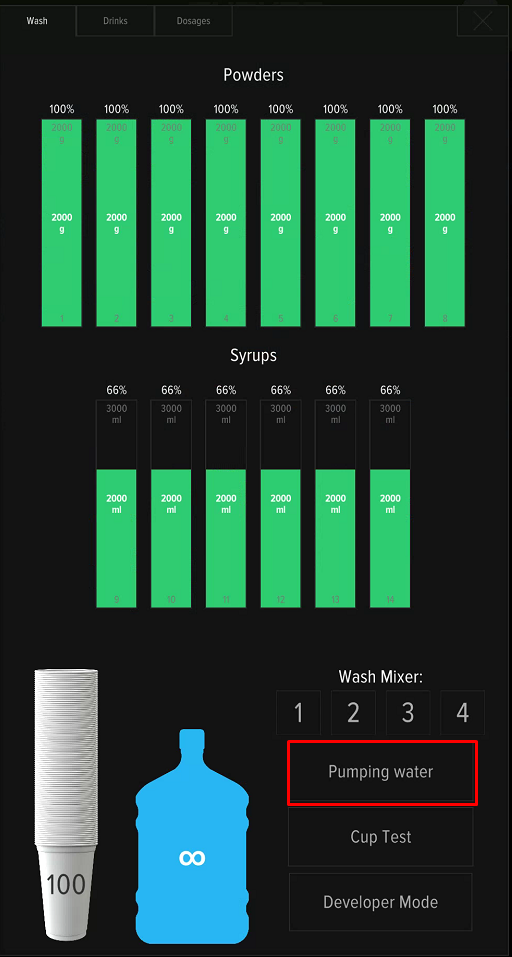
If the error reappears after a reboot, perform diagnostics:
- Make sure the taps and the pump/water main toggle switch are set to the correct position corresponding to the connection type;
- The pump hose is not pinched or kinked, is at the bottom of the container, and the water has not run out;
- The pressure in the water supply system (for this connection type) is not below 0.15 - 0.8 MPa (1.5 - 8 bar);
- The water level when flushing the mixer / priming water is not below the optimal level.
A separate setting is used for each type of connection.
Pumps ajusting
If, after completing the connection, water is supplied but error 1 No Water continues to appear upon reboots, it is necessary to check the water level in the mixer. Start pumping in the service menu and compare the flow level with the picture:
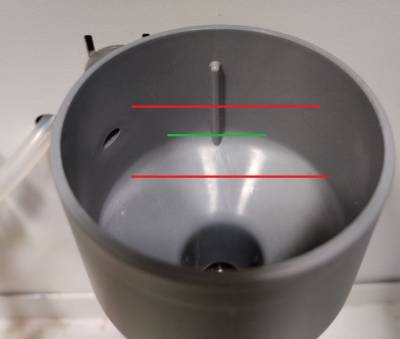
If the water level is below the green line, increase the water flow. To do this, open the service menu and go to the Configurator - Service Menu section. Find the «PWM water settings» option.
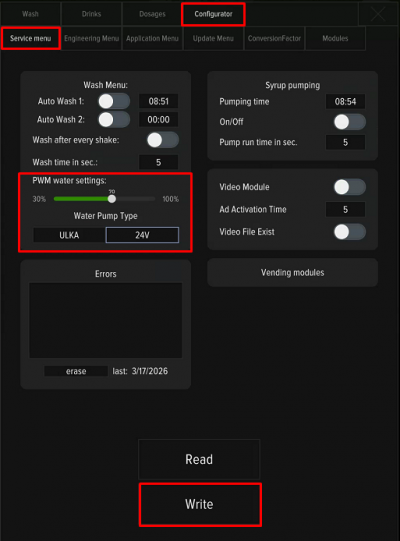
By default, the value is set to 40%. Moving the slider to the left will make the pressure weaker, moving it to the right will increase it. To save the change, you must press the «Write» button. It is not recommended to sharply increase/decrease the pressure; change the values by 10% at a time, making sure to save the value, reboot the machine, and check for the appearance of error 1.
After changing the PWM setting, water calibration is mandatory for correct calculation of drink dosages.
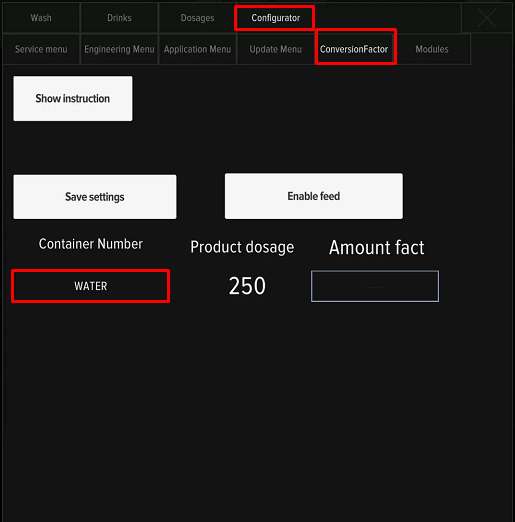
Central water system ajusting
If, after completing the connection, water is supplied but error 1 No Water continues to appear upon reboots, it is necessary to check the water level in the mixer. Start pumping water in the service menu and compare the flow level with the picture:
If necessary, adjust the water flow.
- Adjustment is made by turning the pressure regulator with a screwdriver;
- To increase the water flow, turn the regulator clockwise; to decrease it, turn it counter-clockwise. Check the water level in the funnel.
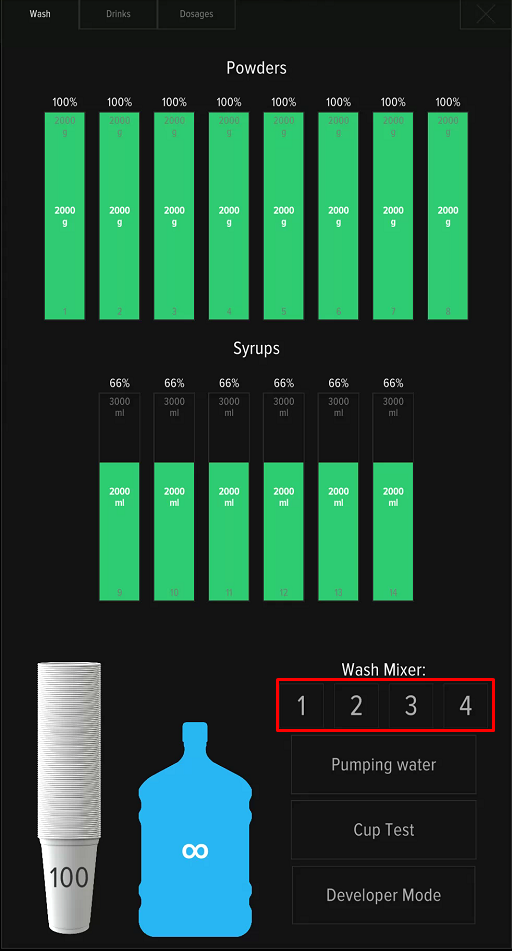
- Wash the mixers by pressing buttons 1-4 on the screen.
- Press the service button CONTROLLER REBOOT. After rebooting the machine, ensure that error 1 No Water is not displayed on the screen.
- After adjusting the water level, water calibration is mandatory for correct calculation of drink dosages.