
Содержание
Connecting to the Central Water Supply System (Touch 2)
To use this type of connection, preparation of the water supply system is required. Using a direct connection to the water main is not recommended; typically, 3 or 5-cell filters are used for water purification.
Depending on the date of manufacture, the machine can be equipped with two configurations of water supply - with ULKA, or 24V pumps. The steps for preparing the water supply are the same for both configurations.
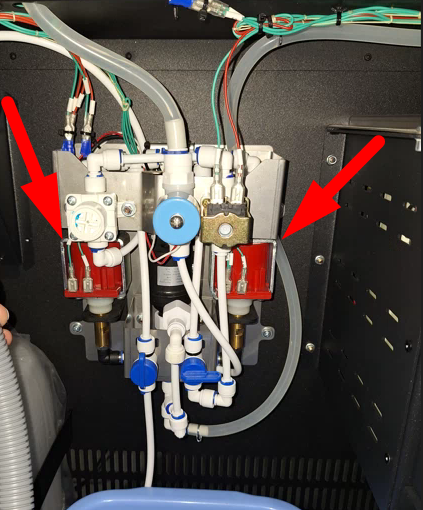
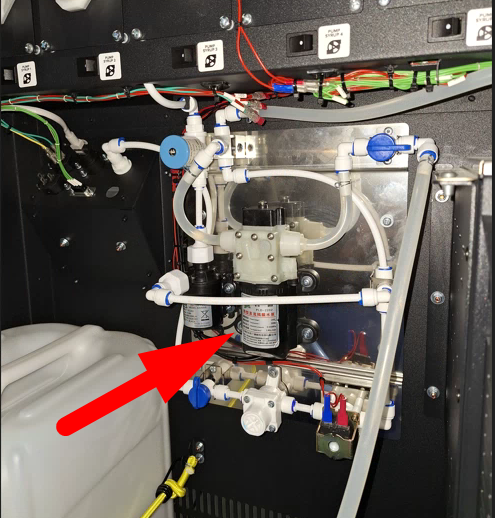
Attention! Installation of water flow control devices is prohibited!
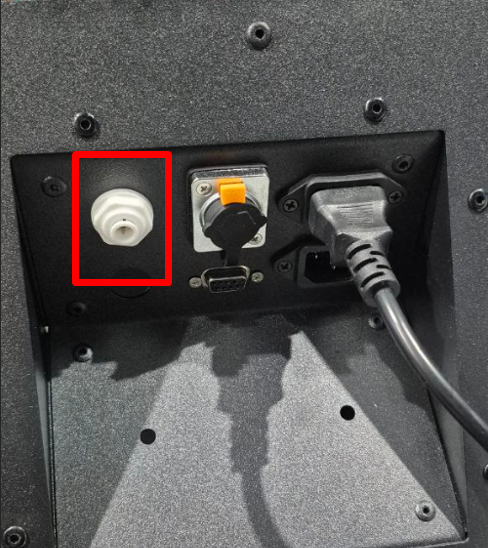
A 6mm diameter PVC hose is used to connect to the machine's fitting. Ensure the pressure in the water supply system is not below 0.15 - 0.8 MPa (1.5 - 8 bar).
Connection procedure and rules:
- Connect the PVC hose to the fitting on the back panel of the machine;
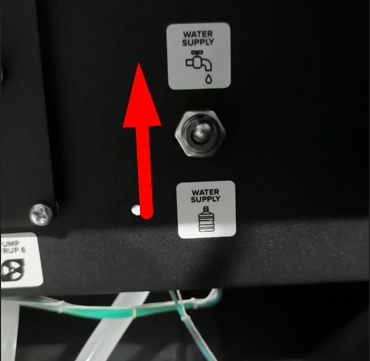
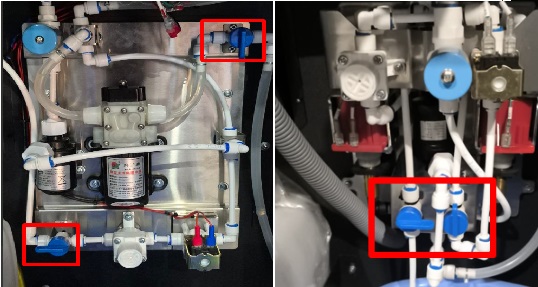
- Set the water supply toggle switch to the up;
- Turn on the taps to supply water from the central water system;
- Turn on the main power switch of the machine and wait for the software to load;
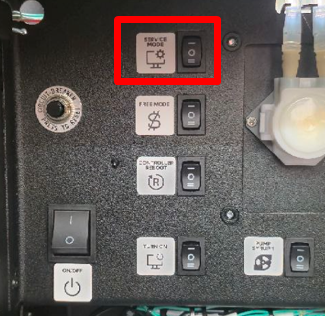
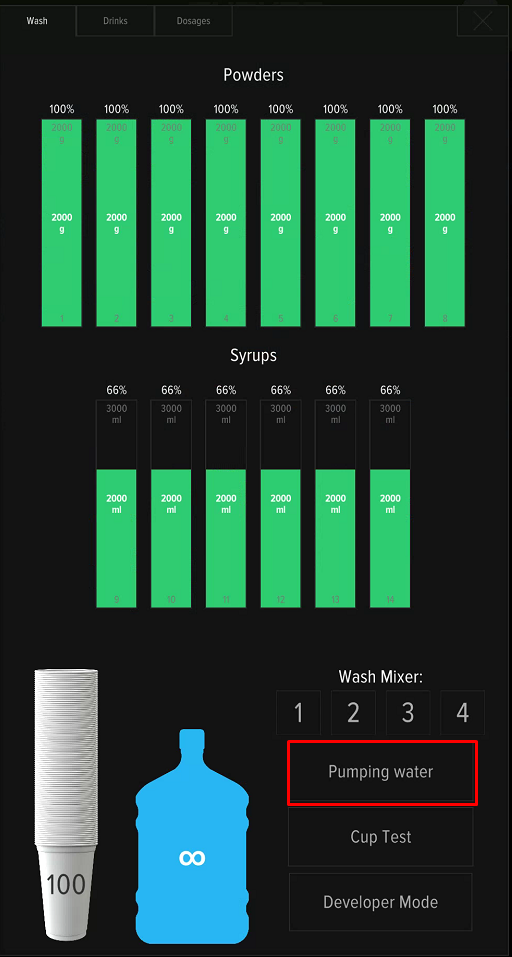
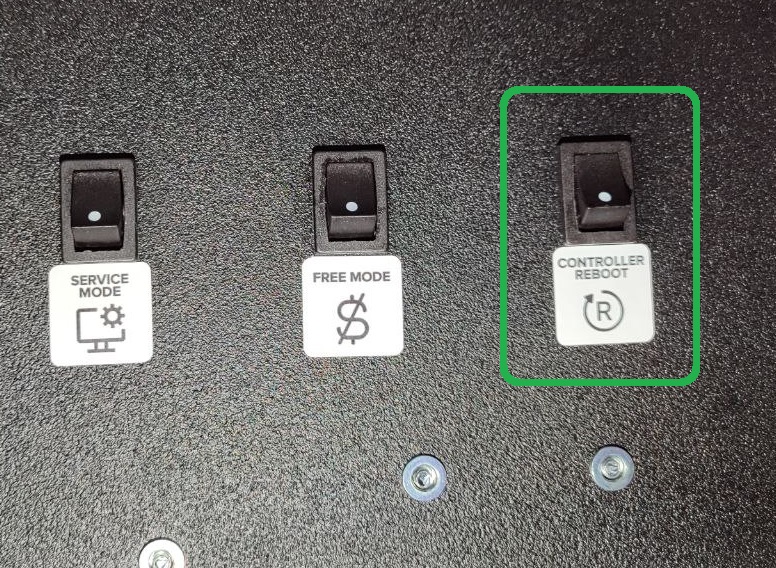
- Press the SERVICE MODE button, then press "Pumping water" on the screen. Pumping the water until the hydraulic line is filled and water flows from the hoses.
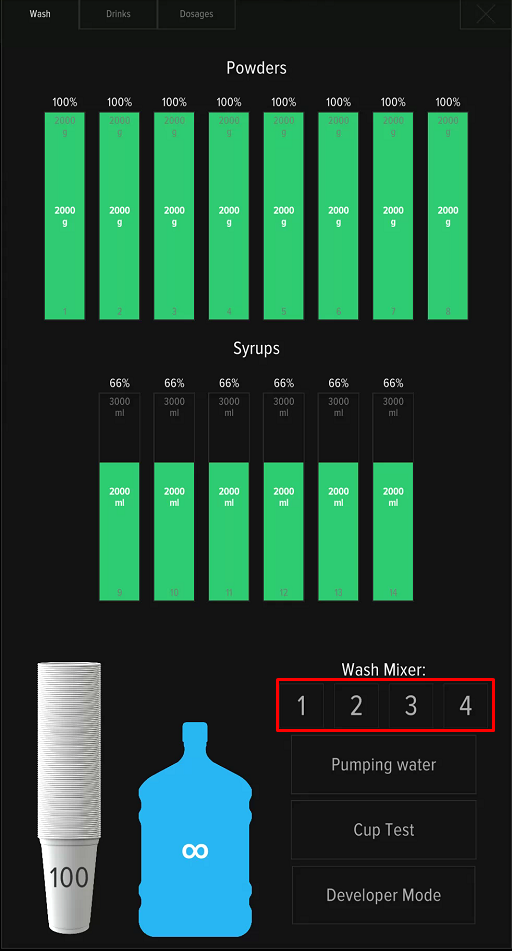
- Pressing buttons 1-4, wash all mixers one by one until water comes out.
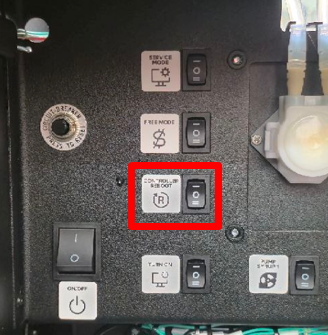
- Press the CONTROLLER REBOOT button or reload machine from the screen on the Drinks tab.
- Make sure that Error 1 No Water is not displayed on the screen after rebooting the machine. If the error appears, check the water level in the mixer.
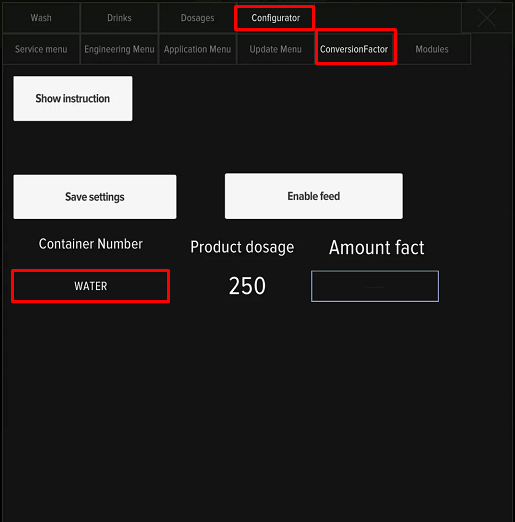
- Open the service menu, press the «Developer Mode» button, go to the Configurator - Conversion factor tab, and perform water dispensing calibration using a measuring cup.
Adjusting the Water Level
If, after completing the connection, water is supplied but error 1 No Water continues to appear upon reboots, it is necessary to check the water level in the mixer. Push Pumping water in the service menu and compare the flow level with the picture:
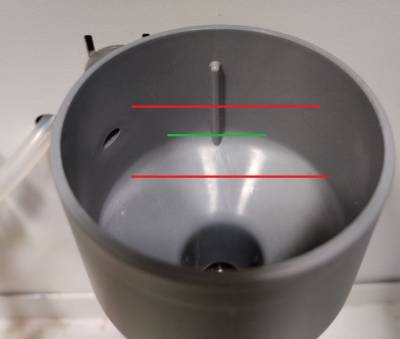
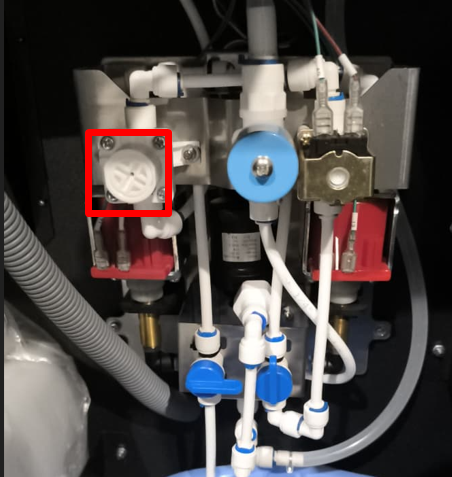
- If necessary, adjust the water flow. Adjustment is made by turning the pressure regulator with a screwdriver;
- To increase the water flow, turn the regulator clockwise; to decrease it, turn it counter-clockwise. Check the water level in the funnel. Repeat the procedure until the desired result is achieved.
- Wash the mixers by pressing buttons 1-4 on the screen.
- Press the service button CONTROLLER REBOOT to reset the error. After rebooting the machine, ensure that error 1 No Water is not displayed on the screen.
- After adjusting the water level, perform water calibration in the service menu Configurator - Conversion factor.
The water supply connection setup is complete.
Possible Issues
In some cases, with increased pressure in the water supply system, the solenoid valve may not open (the machine shows Error 1, and water does not pump upon reboot). The solution is to reduce the pressure using the regulator by turning it counter-clockwise several turns, then press CONTROLLER REBOOT and ensure that water begins to flow into the line. After any changes to the water pressure, it is necessary to perform water calibration in the Configurator - Conversion factor tab.