Connecting to the water tank (Touch 2)
Depending on the date of manufacture, the machine can be equipped with two configurations of water supply - with ULKA, or 24V pumps. The steps for preparing the water supply are the same for both configurations, the difference lies in the selection of the appropriate pump and its water supply level in the service menu.
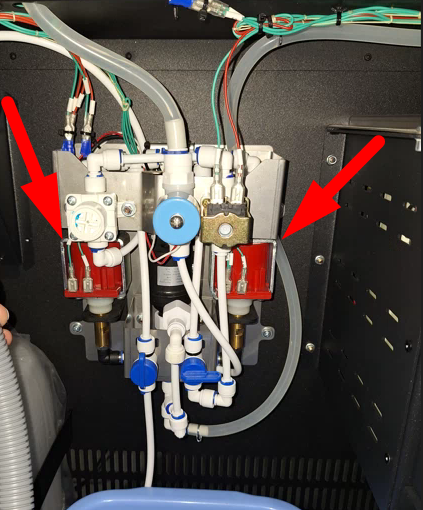
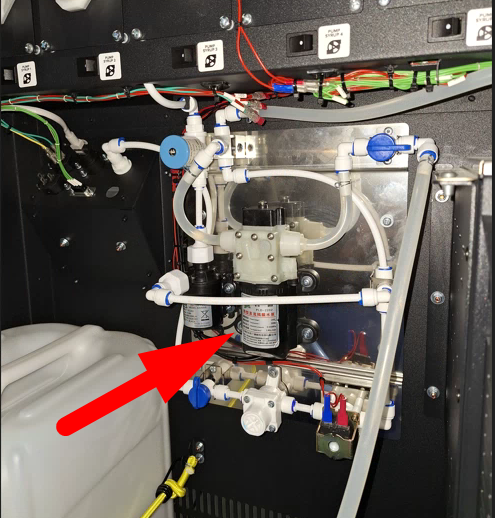
Connection procedure:
- Install the water container inside the machine;
- Lower the water intake hose into the container;
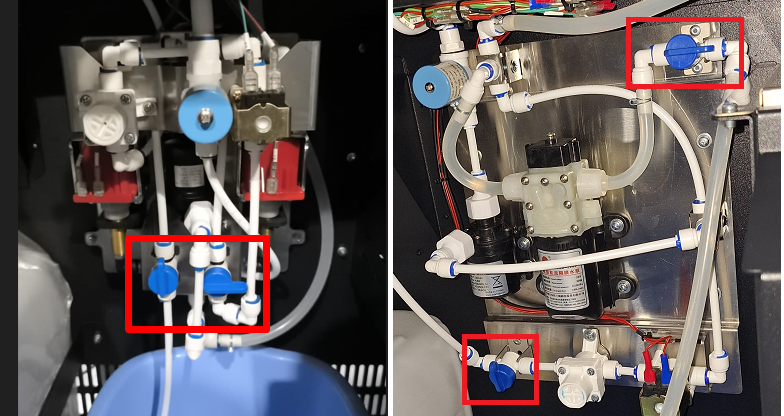
- Turn around hydraulic line taps to supply water from the tank;
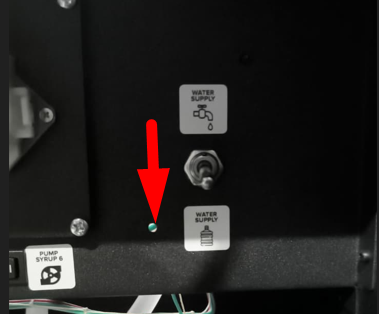
- Install the water supply toggle switch in position for pumps;
- Turn on the main power switch of the machine and wait for the software to load. After starting, the pumps will turn on for 2-3 seconds.
- Press the SERVICE MODE button, tap «Pumping water» on the screen. It is necessary to pump the water until the hydraulic line is full and the water flows out of the hoses.
- By pressing buttons 1-4, rinse all the mixers in turn until the water comes out.
- Press the CONTROLLER REBOOT button or restart the machine from the Drinks tab screen.
- Make sure that error 1 No water is displayed on the screen after restarting the machine.
- Open the service menu, click the «Developer Mode» button, and go to the Configurator - Conversion factor tab. Use a measuring cup to calibrate the water supply.
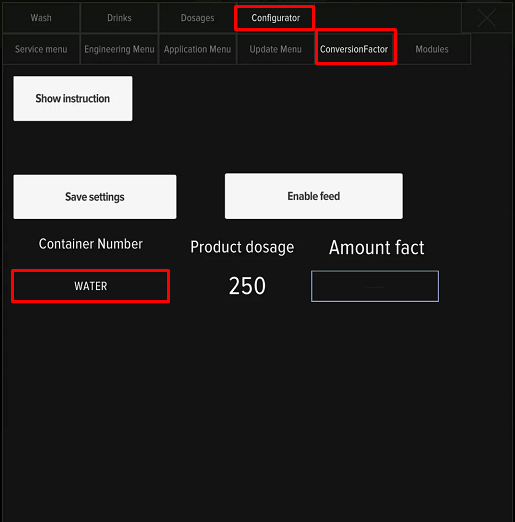
Setting up pumps
If water is supplied after the connection is completed, but error 1 No water continues to appear during reboots, it is necessary to check the water level in the mixer. Start pumping in the service menu and check the flow level against the picture:
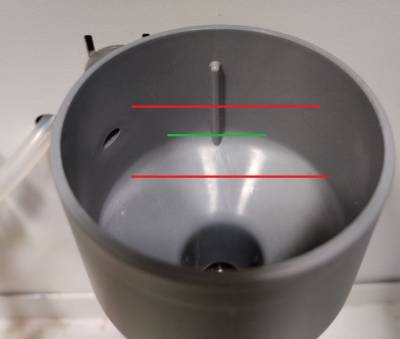
If the water level is below the green line, increase the water flow. To do this, open the service menu and go to the Configurator - Service Menu section. Find the option «PWM water settings».
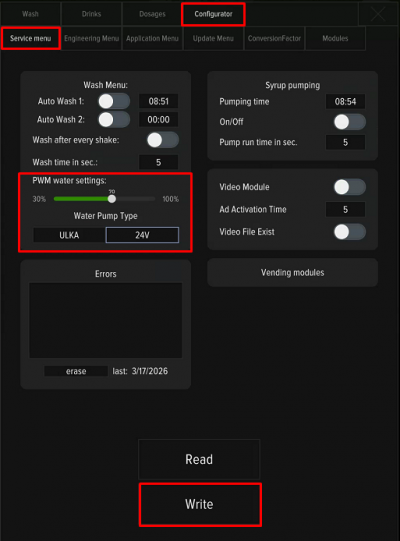
For ULKA pumps used default value is 40%. For 24V pump used default value is 70%. By shifting the slider to the left, the pressure will become weaker, and by shifting to the right, it will increase. To save the change, be sure to click the «Record» button. It is not recommended to sharply increase/decrease the pressure, change the values by 10% at a time with the mandatory saving of the value, restarting the machine and checking for Error 1.
After changing the PWM setting, it is mandatory to check water calibration for the correct calculation of dosages of drinks.